Cause: If you have a newer TD100 Transmitter installed on your truck, and you have a FINCH II display with older firmware, you could run into an issue where your FINCH display shows all FFFFF’s. This could be because the firmware in your newer TD100 Transmitter and your FINCH II display is not compatible.
As of FINCH II firmware v2.8.5, the Rotary Switches on the FINCH II circuit board have been disabled. This means the decimal point and volume unit settings will be received from the TD100 based on what was programmed from the strapping table. An older FINCH II firmware version with a newer TD100 firmware version could conflict with each other, causing your FINCH display to show all FFFFF’s.
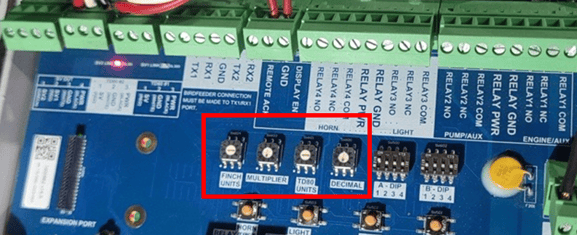
Solution:
Option 1: Update the FINCH II firmware to the latest version. If the FINCH is not a FINCH II-W display (white sticker with a QR code on the lower right of the box), you require programming cables to update the FINCH firmware.
Option 2: If you don’t have a FINCH II-W display, and you don’t have programming cables, you can address this issue by opening the FINCH circuit board and locate the FINCH Rotary Switches. Update all Rotary Switches to 0 on each dial.
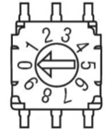 |
· FINCH UNITS = 0 · MULTIPLIER = 0 · TD80 UNITS = 0 · DECMIAL = 0 |
Once this is complete, reboot the system and the all FFFFF’s should update to show the correct value.
Need more help?
Contact one of our Titan Logix's Service Team members for more technical assistance.
Phone: 1-877-462-4085 (ext. 2)
Email: service@titanlogix.com
Request Training: Click Here