FINCH III + Optic Booster = Terminal Overfill Solution
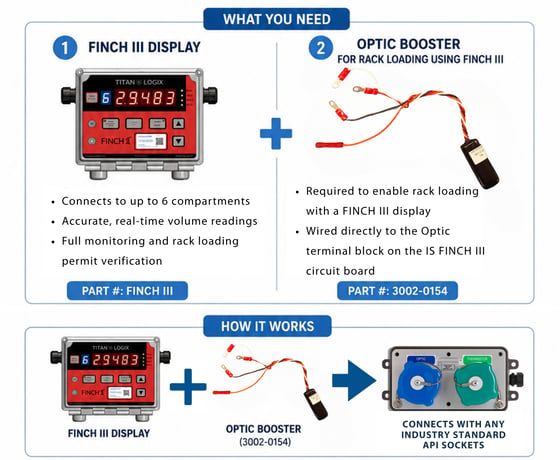
You can connect an API socket directly to a FINCH III display to enable terminal overfill protection at the loading rack. This integration eliminates the need for a separate overfill protection system, as the FINCH III display provides the required permit signals, along with real-time liquid level measurement for each compartment and terminal overfill.
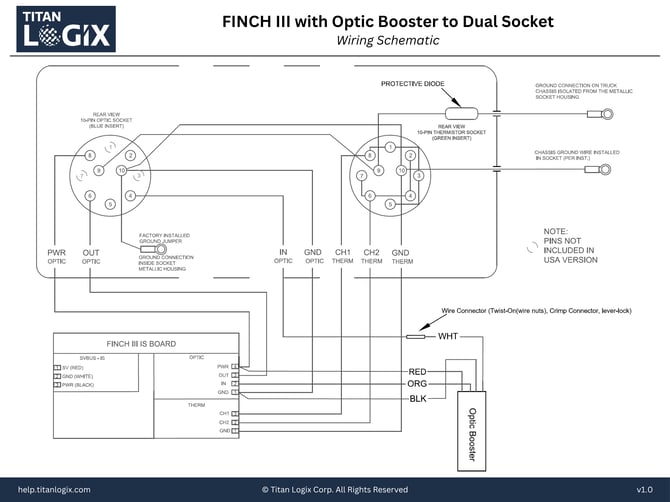
To implement this solution, wire an Optic Booster to your existing FINCH III circuit board. The information below will guide you through a successful installation.
FINCH III + Optic Booster to Dual API Socket (Wiring Schematic)
The image below shows a visual of wiring an Optic Booster to a FINCH III system, visual of a 1 compartment system, that includes an external horn and solenoid operated valve installed on the tank, connected to a standard API Socket for rack loading.
*Click on the diagram below to expand image to download the file.
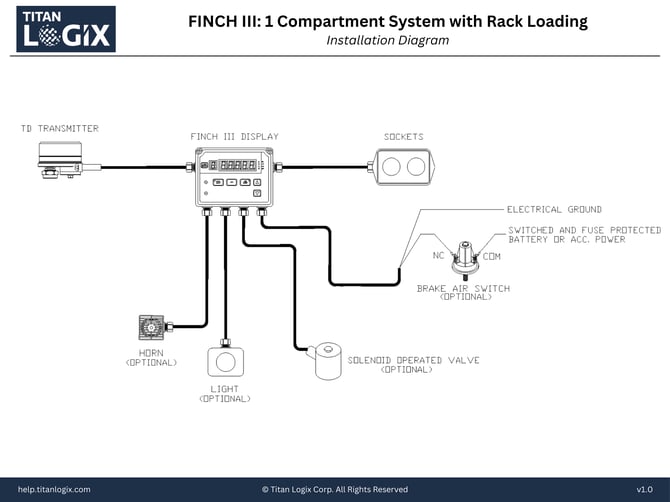
1 Compartment System with Rack Loading (Installation Diagram)
The image below shows a visual of a 1 compartment system, that includes an external horn and solenoid operated valve installed on the tank, connected to a standard API Socket for rack loading.
*Click on the diagram below to expand image to download the file.
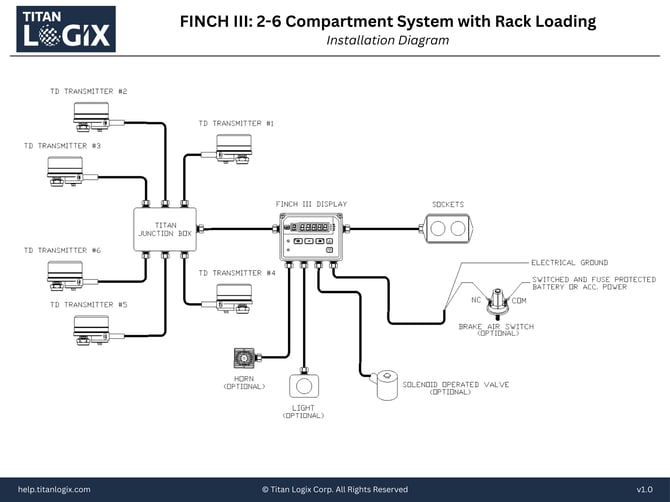
2 - 6 Compartment System with Rack Loading
The image below shows a visual of a 2+ compartment system, that includes an external horn and solenoid operated valve installed on the tank, connected to a standard API Socket for rack loading.
*Click on the diagram below to expand image to download the file.
Need more help?
Contact one of our Titan Logix's Service Team members for more technical assistance.
Phone: 1-877-462-4085 (ext. 2)
Email: service@titanlogix.com
Request Training: Click Here