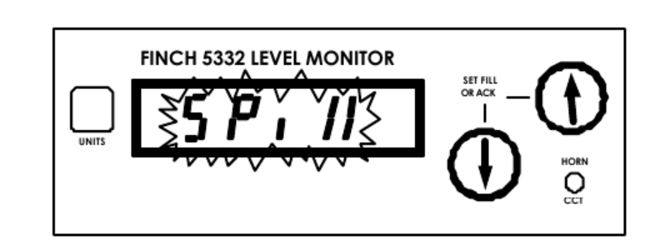
If a tank is unloaded while system power is off, the FINCH 5332E may display a flashing SPILL alarm when power is restored. This occurs because the monitor detects a level change that it interprets as a system error.
When a TD80 system equipped with a FINCH 5332E display develops a SPILL alarm that remains active, use the following procedure to clear the condition.
Step 1: Clear the HH Alarm
Press the buttons in the following sequence:
UP → UP → DOWN → UP
This will clear the HH alarm if it is active.
Step 2: Verify Tank Level
Confirm that the tank is not full before proceeding.
Step 3: Enter Calibration Mode
- Power down the Finch 5332E display.
- Press and hold either the UP or DOWN arrow button.
- While holding the button, power up the display.
- Continue holding the button until "CAL" appears on the display, then release the button.
Step 4: Allow Calibration to Complete
- The display will flash "CAL" for approximately 10 seconds.
- After the flashing stops, the display will show either:
- Numeric level value
- "SPILL"
Step 5: Restart the Display
- Power down the display again.
- Power the display back up normally.
Expected Result
After completing this procedure, the display should start up showing either:
- "2Lo"
- A valid tank level reading
The SPILL alarm should now be cleared.
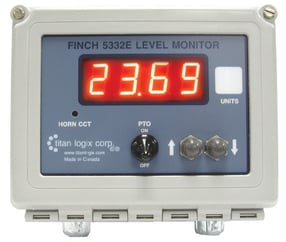
If the SPILL Alarm Remains Active
If the SPILL alarm does not clear after performing this procedure, another fault is likely present in the system and additional troubleshooting will be required.
Need more help?
Contact one of our Titan Logix's Service Team members for more technical assistance.
Phone: 1-877-462-4085 (ext. 2)
Email: service@titanlogix.com
Request Training: Click Here